


September 4, 2026
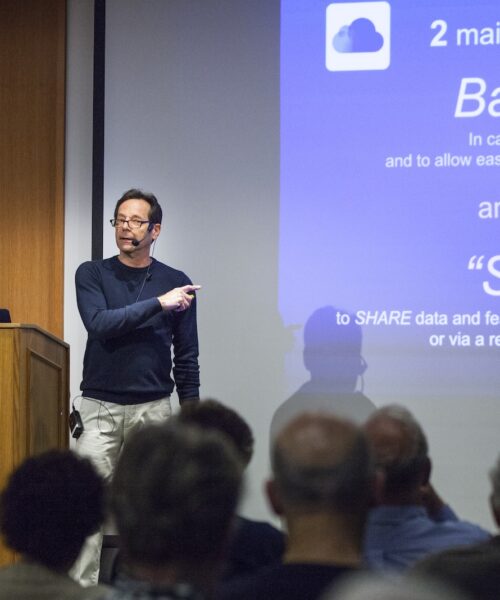
Michael Jay spent more than 30 years working with technology professionally, first as an Emmy Award-winning editor and engineer in Hollywood and New York, then as a tech educator at NYU, Rutgers, Stevens Institute, and more than a dozen Connecticut institutions. A certified Apple Teacher and the longtime tech tutor at Kent Memorial Library, he now runs Personal Tech Support LLC, helping adults navigate their Apple devices and, more recently, helping his customers avoid scams and recover from malware.
What everyday habits put us most at risk online? Using your device with a password of 1234, or your birthday—or no passcode at all; using online accounts without two-factor authentication enabled; getting hundreds of emails and texts a day, which makes it tougher to spot phishing messages. And if you don’t have an aptitude for tech, admit that you’re at risk from online banking: leave only minimal funds in any online account, and keep the bulk of your liquid funds in accounts that are completely offline.
What does a truly secure password look like? It’s long; it’s unique—completely different from any of your other passwords; it’s not kept in some unsecured area, such as your contact list—but it is stored in a password manager, which, unlike you, can’t get tricked by a fake website.
How do you know if your computer has been hacked? You’re not “hacked” unless you’re a high level official or activist targeted by a nation-state. For the most part, what does happen to the average person is this: they let themselves get scammed.
How dangerous is public Wi-Fi, really? There are contradictory opinions about this, and I can’t address it with expertise, but it’s prudent to avoid doing sensitive activity, such as banking, when on a public network. The more likely threat is that you connect to a fake public network, which tricks you into entering your login credentials. When out and about, it’s better to access data with your own cell phone signal.
What’s the best thing a non-techie can do right now to stay safer online? Reduce their surfing: stick to a limited number of trusted sites, and don’t click on any ads. Avoid getting scammed with phishing emails or texts by raising your level of suspicion never downloading attachments (especially PDF files), and never clicking on links or buttons from unconfirmed senders—including the “Unsubscribe” button. As mentioned above, unsubscribe from your hundreds of daily email senders, so the rare phishing message stands out. Also, as stated, enable two-factor for all accounts, and use a password manager. And be very wary of searching the web, even with Google–search results routinely include scams.
What is the most popular reason people seek your services? I’ve become known from my decade of teaching tech at the Kent Memorial Library and lecturing throughout western Connecticut on everything from iCloud to scams. But many customers appreciate getting solutions from a certified Apple Teacher in their own home, without having to make a trip to the Apple Store. My longstanding clients know I usually respond to calls immediately, go to extraordinary lengths to solve problems, and offer real-world advice, including addressing Apple’s faults. Above all, I’ve learned that people often overthink a problem simply because it involves tech, and my repeat customers know I try to teach them to use their devices on their own.
833 411 TECH (833-411-8324)